NOF Model Editor
The model Editor has 3 Tabs.
ObjectClasses Tab
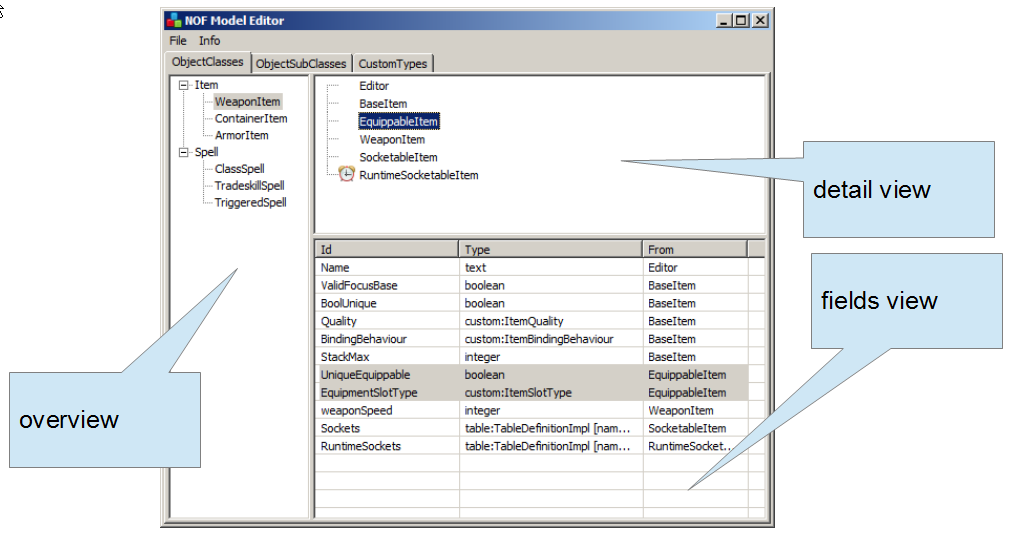
On the ObjectClasses Tab
- In the overview, the root nodes are ObjectClasses and their children are SubclassesBags. If you click on an ObjectClass the detail view shows the ObjectSubClasses that each SubClassesBag in the selected ObjectClass contains. If you select a SubClassesBag the detail view shows the ObjectSubClasses in the selected Bag. You can right click to:
- Add ObjectClasses
- Add SubClassesBags
- Remove SubclassesBag
- In the detail view you can right click to
- Add an ObjectSubClass to a SubClassesBag.
- The fields view is only for info.
ObjectSubClasses Tab
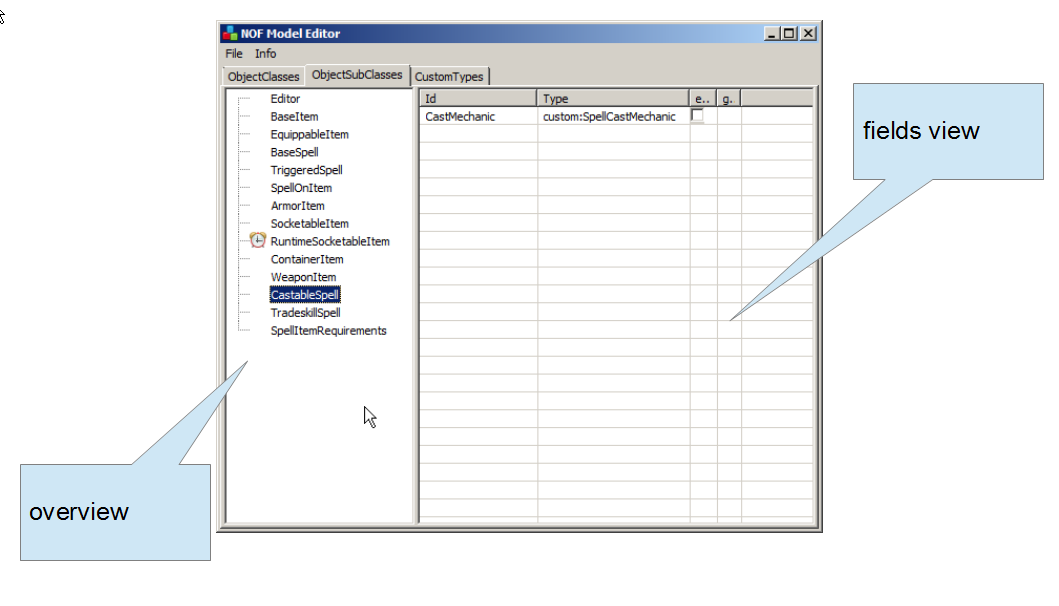
On the ObjectSubClasses Tab
- In the overview you can
- Right click to add and remove ObjectSubClasses
- Double Click an existing ObjectSubClass to edit it.
- In the fields view you can
- Right click to add and remove field definitions.
- Double Click an existing field definition to edit it.
- Select "editor category" and "gives name"
CustomTypes Tab
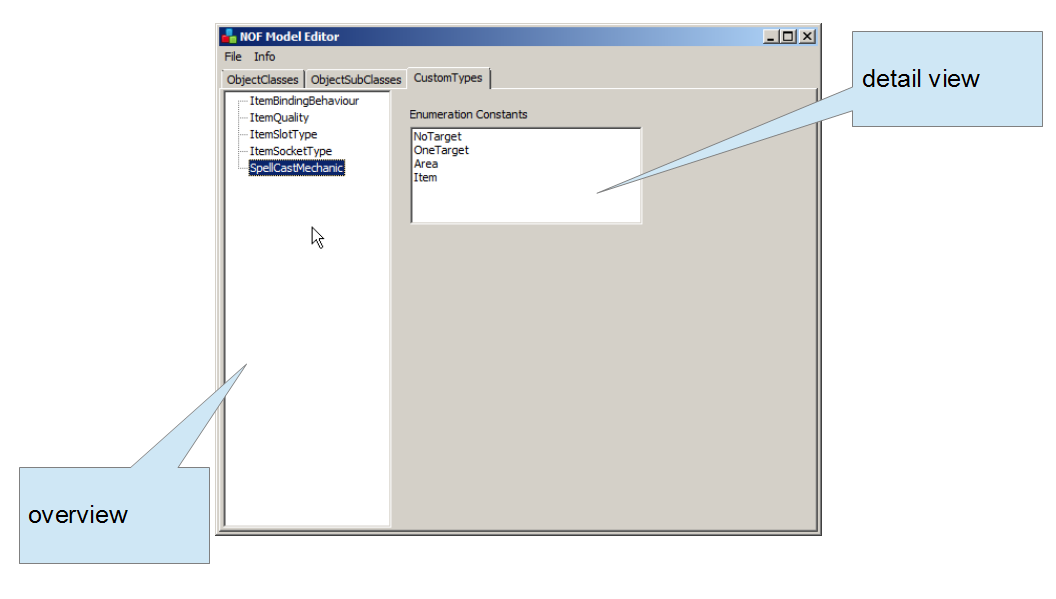
On the CustomTypes Tab
- In the overview you can
- right click to add a custom type
- In the detail view
- just view at the moment. options to edit the enumeration are still missing.
